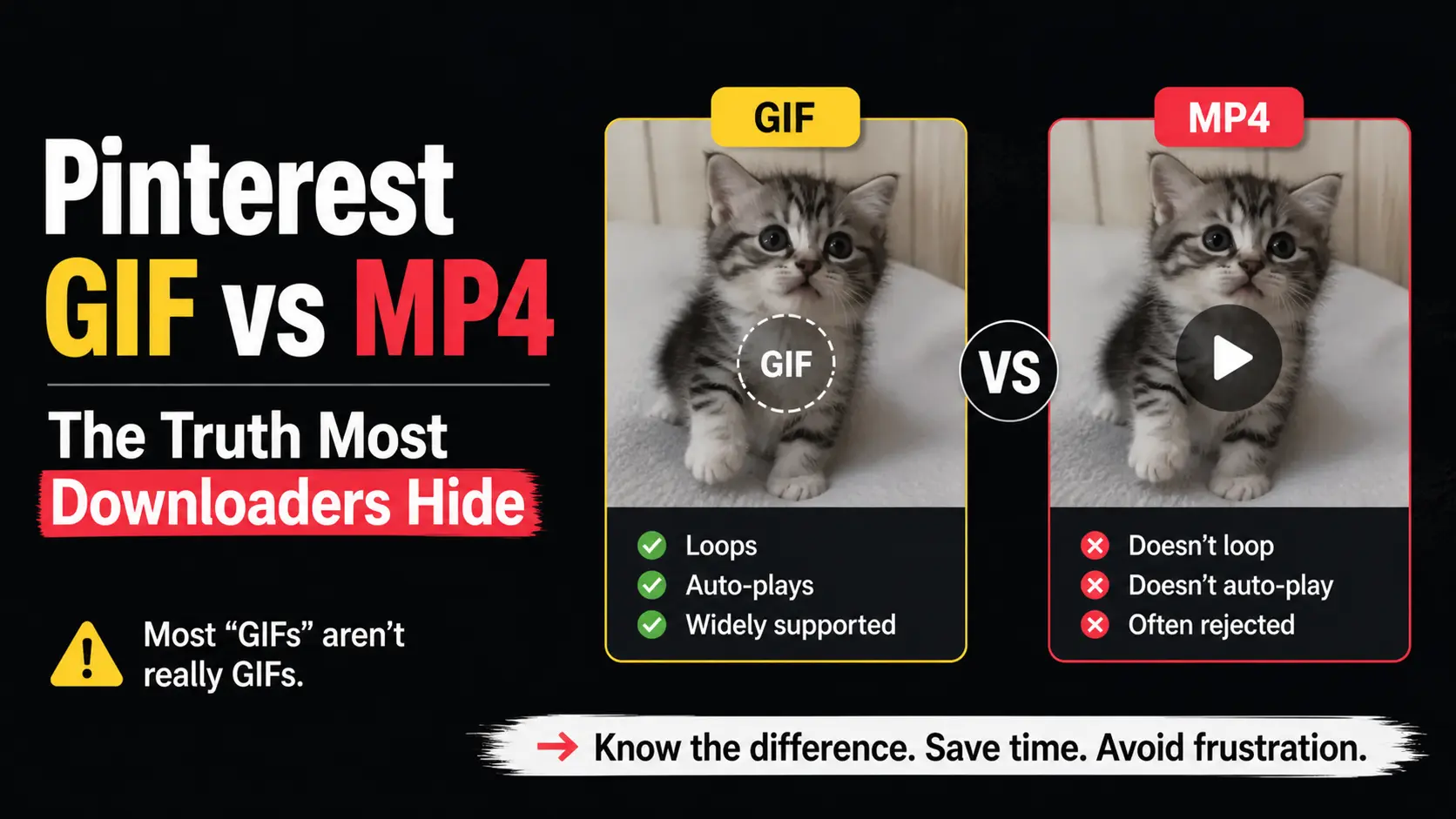
You found a perfect animated reaction GIF on Pinterest. You download it. The file plays fine. You try to upload it to Reddit, Discord, or your Slack workspace. It doesn’t loop. It doesn’t auto-play. Some platforms reject it entirely.
You assumed you downloaded a GIF. You actually downloaded an MP4. Most Pinterest “GIFs” aren’t really GIFs. The difference matters more than most people realize, and most downloaders don’t tell you.
This article explains the technical reality, why platforms differ in their handling, and how to get the right format for your specific use.
The Quick Version
Pinterest stores most “GIF-style” animated content as MP4 videos, not actual .gif files. Pinterest auto-converts uploaded GIFs to MP4 because MP4 is dramatically more efficient for streaming.
When you “download a Pinterest GIF” using most tools, you usually get an MP4 file with a .gif filename slapped on. The file plays as expected within video players, but behaves wrong on platforms that specifically need real GIF format.
To get a true .gif file, either find a Pinterest pin that’s stored as a real GIF (rare but they exist), or convert the MP4 to GIF after download using a separate tool.
Why Pinterest Converts GIFs to MP4
It comes down to file size efficiency.
A 10-second animated clip in GIF format might be 8 MB. The same clip in MP4 with H.264 video compression: 1 MB. Same visual content, 8× smaller file.
For Pinterest, which serves billions of media views monthly, this difference is enormous. MP4 cuts bandwidth costs by 70-90% compared to GIF for animated content. So when a creator uploads a GIF to Pinterest, the platform automatically:
- Decodes the GIF
- Re-encodes as H.264 MP4
- Stores the MP4 version
- Discards the original GIF (in most cases)
The result is that animated content on Pinterest plays from MP4 files served as videos, even though it visually looks like a GIF and the user interface might call it a GIF.
Why the Format Distinction Matters
If GIFs and MP4 loops look the same in Pinterest, why does the difference matter?
Because other platforms treat them differently.
Here’s a practical compatibility table:
| Use case | True GIF (.gif) | MP4 loop (.mp4) |
|---|---|---|
HTML <img> tags | ✅ Auto-loops | ❌ Won’t display |
| Email signatures | ✅ Most clients | ❌ Many clients block videos |
| Reddit (image-only subreddits) | ✅ | ❌ |
| Slack auto-playing | ✅ | ⚠️ Some workspaces |
| Discord auto-playing | ✅ | ⚠️ Depends on settings |
| Photoshop animation timeline | ✅ Native | ❌ Need conversion |
| WhatsApp Stickers | ✅ | ❌ |
| Twitter/X (auto-converts) | ✅ | ✅ |
| Instagram Stories | ✅ | ✅ |
Modern web pages with <video> | ✅ | ✅ |
| File size | ❌ Usually 5-10× larger | ✅ Smaller |
| Color quality | ❌ 256 color limit | ✅ Full color |
| Frame rate flexibility | ❌ Limited | ✅ Smoother |
If you specifically need to use animated content somewhere that requires GIF format, an MP4 file won’t work. Conversely, if size matters or you need full color, MP4 is better than GIF.
How to Tell Which Format You Have
After downloading from Pinterest, check the file:
On Windows/Mac: Right-click → Properties / Get Info. Look at “Type” or extension.
.gif= real GIF.mp4,.m4v,.mov= video file (MP4 loop, regardless of what the downloader called it)
Check by trying to use it:
- Open in default browser. Real GIFs play in any browser. MP4s might launch a video player instead.
- Drop into Photoshop or GIMP. Real GIFs open with frames; MP4s ask for video import.
- Upload to a platform that requires GIF. Real GIFs work; MP4s usually fail with “wrong file type.”
Check via header inspection:
- Open the file in a text editor (just for the first few bytes).
- Real GIFs start with
GIF89aorGIF87atext. - MP4 files start with binary data that looks like
....ftypmp42or similar.
Why Most Pinterest Downloaders Hide This
The format misrepresentation is so common because:
Reason 1: Easier marketing copy
“Pinterest GIF Downloader” is a clean, searchable headline. “Pinterest Animated Content Downloader (which may give you GIF or MP4 depending on source)” is technically accurate but terrible marketing.
Tools optimize for the search-friendly term, even if it’s slightly misleading.
Reason 2: Most users don’t notice
If you save an animated reaction file, watch it in the default video player, and it plays — most users never realize it’s not actually a GIF. The mismatch only becomes apparent in specific use cases (specific platforms, specific software).
Reason 3: Detecting the actual format requires extra work
To honestly label format, a downloader has to:
- Check the source URL extension or API response field
- Verify the MIME type matches
- Display the result to the user
Many downloaders skip these steps. They get whatever Pinterest serves, give it a .gif extension if the user used a “GIF downloader” page, and call it done.
Reason 4: Conversion costs more
A truly honest “Pinterest GIF Downloader” could either deliver MP4 with honest labeling, or convert MP4 to GIF on the server side. Conversion requires FFmpeg, processing power, and bandwidth — expensive at scale. Tools cut costs by skipping conversion and lying about format.
How to Get a Real GIF from Pinterest
Three methods, in order of practicality:
Method 1: Look for genuinely-GIF Pinterest pins
A small percentage of Pinterest’s animated content is stored as real .gif files (usually older content uploaded before Pinterest fully rolled out GIF-to-MP4 conversion). When you find these, downloading gives you a true GIF.
How to identify likely-GIF pins:
- Older content (pinned years ago)
- Simple, low-color animations (memes, basic loops)
- File extension visible in the source URL ends in
.gif
Use a downloader that honestly labels format (like our GIF downloader) — it’ll tell you when the source is genuinely GIF.
Method 2: Convert MP4 to GIF after download
If the source is MP4 and you specifically need GIF, convert after downloading:
Online converters (easiest):
- ezgif.com/video-to-gif — free, no signup, web-based
- CloudConvert.com — free tier, multiple formats
- Convertio — paid for larger files
Upload the MP4, choose GIF as output, set frame rate (15 fps usually works), download the GIF.
Software (more control):
- Photoshop (or free Photopea) — Import video as layers, export as GIF
- GIF Brewery (Mac) — purpose-built converter
- ScreenToGif (Windows) — also captures screen, can convert
Conversion downsides:
- File size will balloon (often 5-10× larger as GIF)
- Color depth reduced (256 color limit causes banding)
- Some conversion artifacts likely
Method 3: Use a downloader with built-in conversion
A few downloaders offer MP4-to-GIF conversion as a feature. We considered building this but decided against it — quality conversion needs FFmpeg, which our shared hosting doesn’t support, and client-side WebAssembly conversion adds significant page complexity.
If you regularly need GIFs from Pinterest, a workflow combining our honest downloader with a separate conversion tool is the most reliable approach.
When MP4 Is Actually Better
Don’t assume you always want a real GIF. MP4 has clear advantages:
- File size: MP4 wins by a huge margin
- Color quality: Full RGB vs GIF’s 256 colors (color banding visible in GIF)
- Frame rate: MP4 supports any frame rate; GIF gets choppy above 24 fps
- Audio: MP4 can include audio (silent GIFs only)
- Modern web compatibility:
<video>tags work everywhere now
For most modern uses (websites, social media, video editing), MP4 is the better choice. The cases where you specifically need GIF are increasingly narrow:
- Image-only platforms (some forums, certain Reddit communities)
- Email signatures with old-school clients
- Image editing software workflows
- Sticker creation for messaging apps
- Truly old-school websites (rare)
If your use case isn’t on that list, MP4 is probably fine.
A Real-World Decision Tree
When you find an animated Pinterest pin you want to save:
Question 1: Where will I use this animation?
- Social media post (Instagram, Twitter, Facebook): MP4 works fine. Download as MP4.
- Personal video editing project: MP4 works perfectly. Download as MP4.
- Personal phone wallpaper: MP4 works. Download as MP4.
- Email signature: GIF is safer. Download MP4 → convert to GIF.
- Image-only forum or community: GIF required. Download MP4 → convert to GIF.
- WhatsApp Sticker: GIF required and small file size matters. Skip Pinterest, find from sticker source.
Question 2: Does file size matter for my use?
- File size doesn’t matter (just keeping for reference): Either works.
- Need to email or share frequently: MP4 is much smaller. Stay with MP4.
- Need to save lots of them and storage matters: MP4 wins by 5-10×.
Question 3: Do I need full color quality?
- Yes (it’s photographic, full color, lots of gradients): MP4 preserves color better.
- No (it’s a simple meme or limited palette): GIF works fine.
For the majority of cases, MP4 is the right answer. GIF is the right answer for a specific minority of use cases.
Common Misconceptions
“Real GIFs are always better quality”
Not true. GIF format limits to 256 colors per frame, which causes visible color banding in photographic content. MP4 with H.264 compression maintains full color depth at the cost of slight motion compression artifacts. For most content, MP4 looks better.
“GIF is the format animations are supposed to use”
GIF was designed in 1987 for static images and only later adapted for animation (with significant compromises). Modern animation formats (MP4, WebM, AVIF, APNG) all surpass GIF technically. GIF persists primarily because of platform support, not because it’s better.
“If Pinterest calls it a GIF, it’s a GIF”
Pinterest’s UI labels animated content as “GIF” regardless of underlying format. This is marketing terminology, not technical accuracy. The actual file format depends on what Pinterest stored — usually MP4.
“I can rename .mp4 to .gif and platforms will accept it”
No. File extensions are advisory; the actual content matters. Renaming a .mp4 to .gif doesn’t convert it. Platforms checking format will see MP4 binary and reject it.
“MP4 always plays smoother than GIF”
Usually true, but not always. Both formats can be encoded poorly. A well-encoded GIF might look better than a heavily-compressed MP4.
Frequently Asked Questions
Why does Pinterest call it a GIF if it’s not?
User experience consistency. “GIF” is universally understood as “animated image.” The behind-the-scenes format change to MP4 happens for performance reasons, but Pinterest doesn’t want to confuse users with technical terms in the UI.
Will Pinterest ever switch to a different format?
Possible. Newer formats like AVIF support animation with better compression than MP4 and broader browser support is improving. Pinterest could adopt AVIF in coming years. For now, MP4 is the de facto standard.
Why do some Pinterest GIFs have audio if GIFs can’t have audio?
Because they’re MP4 videos disguised as GIFs. Real GIFs are silent (the format has no audio support). If your “GIF” has sound, it’s an MP4.
Are Pinterest cinemagraphs GIFs or MP4s?
Cinemagraphs (partial-motion images, like a still photo where one element animates) are always stored as MP4 on Pinterest. The smooth subtle motion these require would be choppy and oversized in GIF format.
Can I tell the difference visually?
Sometimes. MP4 loops can have very subtle audio-related compression artifacts even when silent. GIF often has visible color banding (smooth gradients become stair-stepped). Most users can’t reliably tell them apart by eye.
Is there a “Pinterest GIF format” that’s different from regular GIF?
No. There’s no Pinterest-specific GIF format. When Pinterest delivers actual GIFs, they’re standard .gif files compatible with any GIF-supporting platform. The non-standard part is that Pinterest mostly delivers MP4s under the GIF label.
Conclusion
The “GIF vs MP4” question on Pinterest is mostly resolved by Pinterest’s choice: most animated content lives as MP4. For most uses, this is fine — MP4 is more efficient and looks better in most cases. For specific cases requiring real GIF format, convert after download or look for genuinely-GIF source pins.
Our GIF downloader tells you exactly which format the source actually is. If it’s a true GIF, you get a real .gif file. If it’s an MP4 loop, you get an .mp4 file with clear labeling — not a renamed file pretending to be a GIF.
This honesty is why we built the tool. Most other tools mislead by default. We choose not to.