Save Pinterest Videos, Images & GIFs in Original Quality
Pinterest is full of inspiration — recipes, design mockups, DIY ideas, tutorial videos. But Pinterest doesn’t give you a way to save it for offline use. Pin Video Downloader fixes that. Paste any Pinterest URL below and download the original file directly to your device. No accounts, no watermarks, no nonsense.
Pin Video Downloader
Open Pinterest, find a video, tap Share → Copy Link, then paste it above.
Fetching video information…
How to Download from Pinterest in 3 Simple Steps
Step 1 — Copy the Pinterest URL
Open Pinterest in any browser or the Pinterest app. Find the video, image, or GIF you want to save. Tap the share icon and choose Copy Link.
Step 2 — Paste the Link Above
Come back to this page and paste the URL into the input box. Click Download. Our tool fetches the file information from Pinterest in seconds.
Step 3 — Save the File
You’ll see the original quality available. Click the download button, and the file goes straight to your device. No queue, no waiting, no watermark stamped on it.
That’s the entire process. Most downloads take under 5 seconds.
Three Tools, One Goal: Honest Pinterest Downloads
We don’t try to be everything for everyone. We do three things really well:
📹 Pinterest Video Downloader (this page)
Save Pinterest videos in their original resolution — whatever the creator uploaded. We never upscale or fake higher quality. If a video is 720p, we tell you it’s 720p. If it’s 1080p, you get 1080p. How to download Pinterest videos →
🖼️ Pinterest Image Downloader
Save Pinterest images in their full resolution, straight from Pinterest’s content servers. Great for inspiration boards, mood references, and design work. We automatically upgrade thumbnail URLs to original-size files when possible.
🎞️ Pinterest GIF Downloader
The honest GIF downloader. Pinterest stores most “GIFs” as MP4 video files for performance, and most downloaders lie about this. We tell you exactly what format you’re getting — true animated GIF or MP4 loop — so you’re never surprised when you open the file.
Why Pin Video Downloader is Different
Most Pinterest downloaders look the same. We built ours differently. Here’s what stands out.
Original quality, never upscaled
Lots of “Pinterest 4K downloaders” take a 720p video and add four times more pixels through upscaling. The result looks worse than the source. We don’t do that. The quality you see in the preview is the actual original quality you’ll download.
Direct from Pinterest’s servers
When possible, the file flows directly from Pinterest’s content network to your device. We never re-encode, re-compress, or process video files. This means faster downloads and zero quality loss.
No watermark added
Your downloaded file is clean. No “Downloaded with X” stamps, no overlays, no logo in the corner. The file looks exactly like the original.
No signup, ever
We don’t need your email. We don’t need your Pinterest login. We don’t even ask your name. Paste, click, download, done.
Works on every device
iPhone, Android, Windows, Mac, Linux, ChromeOS — anywhere you have a modern web browser, this tool works. No app to install, no extension to add.
Privacy you can verify
We don’t log the URLs you paste. We don’t store the files. We don’t track what you download. Read the Privacy Policy for the full breakdown.
Genuinely fast
Most downloads complete in under 5 seconds from paste to file. We test this regularly because slow tools waste your time.
Pin Video Downloader vs Other Pinterest Downloaders
Here’s a straight comparison with what most other Pinterest downloaders actually offer.
| What we do | Pin Video Downloader | Most Other Tools |
|---|---|---|
| Original quality, no fake upscaling | ✅ Always | ❌ Often misleading |
| Direct CDN download (no re-encoding) | ✅ When possible | ❌ Most re-process files |
| No watermark added | ✅ Never | ⚠️ Sometimes |
| No popup ads or fake download buttons | ✅ Promise | ❌ Industry standard |
| Honest format labeling (MP4 vs true GIF) | ✅ Always clear | ❌ Almost never |
| Works on mobile and desktop | ✅ Equal experience | ⚠️ Often broken on mobile |
| No signup required | ✅ | ✅ |
| Privacy-first (no URL logging) | ✅ | ❌ |
| Ad-free reading experience | ✅ Tasteful only | ❌ Aggressive |
Frequently Asked Questions
Is Pin Video Downloader really free?
Yes — completely free with no hidden costs, no credit card, and no signup. We’re supported by tasteful, non-intrusive advertising that doesn’t interrupt the download flow.
Do I need to install software or an extension?
No. Pin Video Downloader works entirely inside your web browser on any device. Nothing to install, nothing to update.
Does it work on iPhone and Android?
Yes. The tool is designed mobile-first and works smoothly in Safari, Chrome, Firefox, and other mobile browsers. Detailed device-specific guides are coming soon.
Can I download from private Pinterest boards?
No. Our tool only works with publicly accessible Pinterest URLs. We respect Pinterest’s privacy controls — content from private or secret boards cannot be downloaded by anyone outside the board, and that’s how it should be.
Does it really download in 4K?
Sometimes. We download whatever quality the original was uploaded in. If a creator uploaded a 4K video, you get 4K. If they uploaded 720p, you get 720p. Unlike many tools, we never inflate the quality label or upscale a lower-resolution source.
Is it legal to download Pinterest videos?
You should only download content you own, content licensed for free use, or content for which you have the creator’s permission. Downloading copyrighted material without authorization may violate copyright law in your country. See our Disclaimer and Terms of Service for the full picture.
Why does my download sometimes fail?
A few common reasons: the URL is from a private or deleted pin, the URL was copied incorrectly (missing characters), or Pinterest temporarily changed their platform. Try copying the URL again. If problems persist for many URLs, contact us and we’ll investigate.
Do you store my downloads?
No. Your file flows directly from Pinterest to your device. We never see, save, or cache the file on our servers. We don’t even keep a log of which URLs you’ve submitted.
Is this site affiliated with Pinterest?
No. Pin Video Downloader is an independent service with no affiliation, endorsement, or sponsorship from Pinterest, Inc. “Pinterest” is a trademark of Pinterest, Inc., and we use the word descriptively to indicate the source of the publicly available content our tool helps users access.
Can I download multiple videos at once?
Currently, we focus on one URL at a time to keep the experience fast and reliable. Bulk downloading often violates platform terms of service, so we’ve intentionally chosen not to offer that feature.
Does this work with Pinterest Idea Pins or Carousels?
Multi-slide Pinterest formats like Idea Pins and image carousels are not currently supported because of limitations in how the Pinterest data is exposed. We’re working on adding support — for now, you can save individual slides by viewing each as a single pin.
What happens if Pinterest changes their platform?
Pinterest occasionally updates their site, which can temporarily break downloaders. When that happens, we update the tool as quickly as possible. If something stops working, contact us — we usually fix issues within a day or two.
How do I report a problem?
The fastest way is to contact us with the Pinterest URL you tried, the device and browser you’re using, and a brief description of what went wrong. Screenshots help too.
Save Pinterest Content the Right Way
Whether you’re a creator collecting inspiration, a marketer studying trends, a designer building mood boards, or just someone who wants to keep a recipe video offline — Pin Video Downloader is built to do one thing well: save Pinterest content cleanly, quickly, and respectfully.
Pin Video Downloader
Open Pinterest, find a video, tap Share → Copy Link, then paste it above.
Fetching video information…
Explore Our Other Tools
- Pinterest Image Downloader — Full-resolution image saver
- Pinterest GIF Downloader — Honest GIF + MP4-loop labeling
- Pinterest to MP4 — Save Pinterest videos as MP4 files
- Pinterest 4K Video Downloader — Download high-quality Pinterest videos
Step-by-Step Guides
- How to Download Pinterest Videos on iPhone
- How to Download Pinterest Videos on Android
- How to Download Pinterest Videos on PC (Windows)
- How to Download Pinterest Videos on Mac
- How to Save a Pinterest GIF
Latest Posts
- Pinterest Boards You Can’t Download (And Why That’s Actually a Good Thing)

- Pinterest for Content Creators | The Complete 2026 Workflow Guide

- Aesthetic Pinterest Videos | How to Find and Save the Best Ones

- Pinterest 2026 Predictions: What’s Next for the Platform

- Pinterest Download Not Working? 12 Common Causes and Fixes
- How to Use Saved Pinterest Videos for Instagram Reels (Legally)

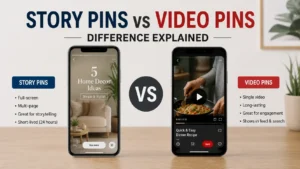
- Pinterest Story Pins vs Video Pins – Difference Explained
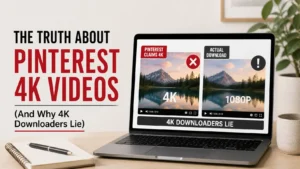
- The Truth About Pinterest 4K Videos (And Why “4K Downloaders” Lie)
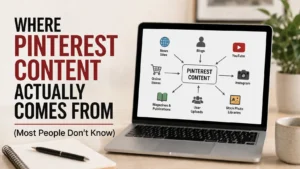
- Where Pinterest Content Actually Comes From (Most People Don’t Know)