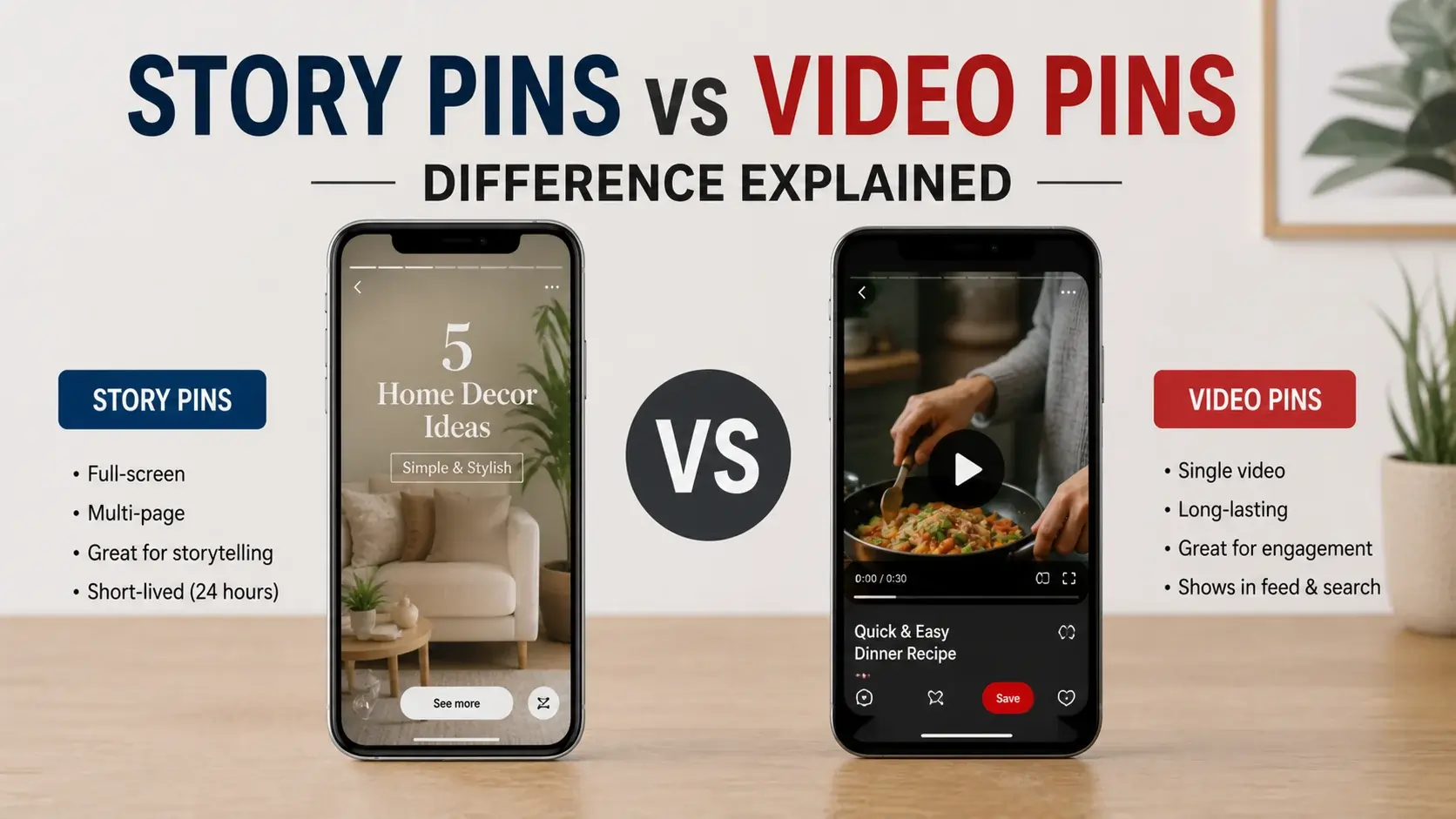
Pinterest’s video offerings are more confusing than they need to be. There are standard video pins. There are Story Pins. There were (and partially still are) Idea Pins. Each format works differently, has different feature sets, and behaves differently when you try to download or share it.
If you’ve been confused about why some Pinterest “videos” save easily while others fail, why some show subtitles while others don’t, or why some have multiple “pages” while others are single clips — this article walks through what each format actually is and how to handle each one.
Pinterest’s Video Format Evolution
Pinterest’s video features have evolved significantly:
2016: Pinterest started supporting video pins (single video clips with limited editing).
2018-2019: Pinterest introduced “Promoted Video” for advertisers, with more sophisticated capabilities than standard pins.
2020: Story Pins launched — Pinterest’s first attempt at a TikTok/Instagram Stories competitor with multi-frame, ephemeral-style content.
2021: Idea Pins launched, replacing/extending Story Pins with a more permanent multi-page format including text overlays, music, and interactive elements.
2022-2023: Pinterest pushed Idea Pins heavily, giving them algorithmic preference. Many creators built large Idea Pin libraries.
2024: Pinterest scaled back Idea Pin emphasis, returning standard video pins to algorithmic prominence. Many creators experienced sudden distribution drops on their Idea Pin libraries.
2026 (current): Standard video pins are again the default. Idea Pins still exist but get less platform investment. Story Pins as a separate format have largely been folded into Idea Pins.
This history matters because the platform’s positioning isn’t always consistent. Content from different eras behaves differently on the platform today.
Standard Video Pins
The most common video format on Pinterest. A standard video pin is essentially a single video file (typically MP4) presented like an image pin but with playback controls.
Characteristics
- Single video clip (usually 6-60 seconds)
- Single source URL linking to a website
- Plays inline in the Pinterest feed
- Auto-plays muted by default; users tap for sound
- Can include captions burned into the video itself
- Supports vertical (preferred), square, and horizontal aspect ratios
Use Cases
- Recipe demonstrations (the dominant use case)
- Workout videos
- DIY tutorials
- Product demonstrations
- Travel highlights
- Time-lapse content
Technical Specs
Pinterest’s recommended video specs:
- Length: 6-15 seconds optimal, up to 60 seconds maximum
- Aspect ratio: 9:16 (vertical) preferred; 1:1 (square) and 16:9 (horizontal) accepted
- Resolution: 1080p preferred, 720p acceptable
- File size: Up to 2GB
- Format: MP4 with H.264 video and AAC audio
Downloading Standard Video Pins
These work well with standard Pinterest video downloaders. The video is a single file accessible via Pinterest’s content delivery network. Tools like our main video downloader handle these reliably.
The download process:
- Copy the pin URL from Pinterest
- Paste into the downloader
- Get an MP4 file matching the pin’s actual content
For most users, this is what “Pinterest video downloading” means — saving standard video pins.
Story Pins (Now Mostly Deprecated)
Pinterest’s Story Pins were an early attempt at the Stories format popularized by Instagram and Snapchat.
Original Characteristics
- Multi-frame content (5-20 frames per Story Pin)
- 24-hour visibility (ephemeral, like Instagram Stories)
- Text overlays and stickers
- Limited audio support
- Couldn’t be saved to user boards
Why They Mostly Disappeared
Story Pins didn’t get traction with Pinterest users. Pinterest’s audience came to the platform for searchable, persistent inspiration — not ephemeral content. The temporary nature of Story Pins fundamentally conflicted with Pinterest’s value proposition.
Pinterest gradually merged Story Pin features into Idea Pins, then phased out the Story Pin label entirely. Most “Story Pins” you might encounter today are actually old Idea Pins or have been auto-converted.
Downloading Old Story Pins
Generally not possible through standard tools. The Story Pin format used a different technical infrastructure than standard video pins, which made third-party downloading much harder. Since the format has been deprecated, this is mostly a moot point.
Idea Pins
Pinterest’s current multi-format content type, replacing earlier Story Pins.
Characteristics
- Multi-page format (1-20 pages per Idea Pin)
- Each page can be image, video, or text
- Permanent (not ephemeral like Stories)
- Saveable to user boards
- Music tracks (licensed library)
- Interactive elements (polls, quizzes, recipe steps)
- Detail pages with longer descriptions
- Can include external links (limited)
Why They Were Pushed Heavily (2021-2023)
Pinterest wanted to compete with TikTok’s growth. Idea Pins offered short-form, multi-page content matching the format users were spending time on elsewhere. Pinterest gave Idea Pins algorithmic preference, hoping creators would migrate from TikTok to Pinterest.
Why They Were Scaled Back (2024+)
The migration didn’t happen at scale. Pinterest’s audience kept preferring static images and standard video pins for the search-driven discovery the platform is built around. Heavy investment in Idea Pin features wasn’t producing engagement growth.
Pinterest reduced algorithmic preference for Idea Pins, hurting creators who’d invested heavily in the format. Some creators saw distribution drop 70-80% nearly overnight.
Idea Pins Today
They still exist and work. Some categories (cooking, beauty tutorials, fitness) still see good Idea Pin engagement. But they’re no longer the strategic priority they once were.
Downloading Idea Pins
This is where it gets technically difficult. Idea Pins have several characteristics that make downloading harder:
Multiple media files per pin. A single Idea Pin might contain 5-15 separate images and video clips. There’s no single file to download.
Different API structure. The data Pinterest returns for Idea Pins differs from standard pins. Tools built for standard video pins often don’t handle Idea Pins.
Music licensing. Idea Pins with licensed music can’t be exported with the audio (Pinterest can’t legally distribute the music outside its platform).
Interactive elements. Polls, quizzes, and similar interactive features only work inside Pinterest. Downloads strip these elements.
In practice, most Pinterest downloaders (including ours) only handle the first frame of an Idea Pin. The full multi-page experience can’t be reliably saved.
If a download tool claims to fully save Idea Pins including music and all pages, verify the result before trusting the claim. Often the “download” only captures part of the original.
Other Pinterest Video-Adjacent Formats
A few additional formats worth understanding:
Animated GIFs (Often MP4 Loops)
Most Pinterest “GIFs” are stored as MP4 loops, not actual .gif files. They behave like silent videos that loop continuously. Our guide on Pinterest GIF vs MP4 differences covers the format reality in detail.
These are typically downloadable as MP4 files. Whether you can get an actual .gif depends on whether Pinterest stored a true GIF (rare) or an MP4 loop (common).
Cinemagraphs
Cinemagraphs are still photos with one element animated. Pinterest stores these as MP4 video loops because the smooth subtle motion would look bad in GIF format.
These download as standard MP4 videos. The cinemagraph effect is preserved in the video file.
Live Photos and Motion Photos
iPhones and some Android devices capture brief video alongside photos. When uploaded to Pinterest, these typically become standard image pins (the motion is lost). The motion isn’t downloadable via Pinterest because Pinterest doesn’t store it.
Video Compilations and Slideshows
Some creators upload longer “video pins” that are actually slideshows of static images set to music. These behave like standard video pins technically but have different content nature. Download works the same as any standard video pin.
Comparison Table
| Format | Single File? | Downloadable? | Multi-Page? | Music? | Persistent? |
|---|---|---|---|---|---|
| Standard Video Pin | Yes | Yes | No | If embedded | Yes |
| Story Pin (legacy) | No | No reliably | Yes | Limited | No (24hr) |
| Idea Pin | No | First page only | Yes | Often, but not exportable | Yes |
| GIF/MP4 Loop | Yes | Yes | No | No | Yes |
| Cinemagraph | Yes | Yes | No | Usually no | Yes |
How to Identify What You’re Looking At
Sometimes Pinterest’s UI doesn’t clearly distinguish format. Quick identification methods:
Look for Page Indicators
If a pin has dots or page numbers indicating “1/8” or similar at the top, it’s an Idea Pin (multi-page). If it’s a single playable area with no pages, it’s a standard video pin.
Check for Persistent Music
If a pin plays music when you tap (not just when audio is in the source video), it’s likely an Idea Pin with Pinterest’s licensed music. Standard video pins only have audio if it was in the original video file.
Check the URL Structure
Idea Pin URLs sometimes have different patterns than standard pin URLs. The difference is subtle but consistent. Standard pins use /pin/[ID]/. Idea Pins use the same pattern but with internal URL parameters that differ.
Tap to See Details
Standard video pins show simple metadata (creator, source URL, save count). Idea Pins show richer detail pages with descriptions, sometimes links, sometimes recipe steps or interactive elements.
Practical Implications
For different users:
For Casual Users
Standard video pins are what you mostly want anyway — recipes, workouts, tutorials. These download cleanly. Idea Pins are harder to capture but usually less essential.
For Creators
Standard video pins offer the most reliable distribution and the cleanest user experience. Idea Pins offer richer features but with platform-strategy uncertainty. Our content creator guide covers the strategic considerations for which format to focus on.
For Marketers
Standard video pins are the safest investment. Idea Pins might have utility for specific campaigns but shouldn’t be your main format given Pinterest’s reduced support. Our Pinterest competitive research guide covers what successful marketers actually do.
For Researchers and Analysts
The format matters for analysis. Comparing engagement on standard pins vs Idea Pins is comparing different things. Pinterest’s metrics for each format use different measurement approaches.
Pinterest’s Future Format Direction
Speculatively, here’s where the platform seems headed:
Continued Standard Video Emphasis
Pinterest seems to have decided that standard video pins are their video future. Recent platform updates have invested in standard video pin features.
Idea Pin Maintenance Mode
Idea Pins continue to exist but probably won’t get major new investments. The format works for users already invested in it but isn’t where Pinterest’s energy goes.
Possible Future Formats
Pinterest might introduce new formats in coming years. The pattern suggests they’ll keep experimenting with TikTok-style features but understand their core platform is still search-driven discovery.
Format Convergence
The trend across all platforms is convergence toward similar short video formats. Pinterest’s standard video pins increasingly resemble Instagram Reels, TikTok videos, and YouTube Shorts. Format-specific specialization may decrease over time.
Frequently Asked Questions
Can I convert an Idea Pin to a standard video pin?
Not directly through Pinterest’s interface. You’d need to extract the source content (which is technically difficult) and re-pin as a standard video. Most creators just create new standard video content instead of trying to convert.
Why can’t I save an Idea Pin to my Pinterest board?
Some types of Idea Pins (especially older ones with ephemeral elements) couldn’t be saved by design. Most current Idea Pins are saveable, but with limitations on how the saved version displays.
Are Story Pins coming back?
Unlikely. The format conflicted with Pinterest’s persistent-discovery value proposition. Pinterest seems to have learned this lesson; reviving the format would be a reversal.
What format should I use if I’m creating Pinterest video content?
Standard video pins are the safest choice for distribution and longevity. Reserve Idea Pins for content that genuinely benefits from multi-page format (multi-step recipes, tutorial sequences, etc.).
Why do some Pinterest “videos” download successfully and others fail?
Format mismatch is the most common reason. A tool built for standard video pins often can’t handle Idea Pin URLs. The “video” you tried to download was actually a multi-page Idea Pin, which behaves differently. Our download failure troubleshooting guide covers common causes systematically.
Does Pinterest support [recent format X]?
Pinterest’s format support changes over time. Checking the current Pinterest help center for specific format documentation is the most reliable source.
Will my old Idea Pins keep working?
Yes, they remain on the platform and accessible to users who navigate to them. The change was distribution prominence (less algorithmic boost), not removal.
Conclusion
Pinterest’s “video” landscape is more complicated than it should be. Standard video pins are the dominant, reliable format. Idea Pins exist but get less platform support than they once did. Story Pins are largely gone. GIFs are mostly MP4 loops behind the scenes.
For most users, standard video pins are what matters — they’re what you’ll find, what you’ll save, what you’ll download. Our video downloader handles standard video pins reliably. For other formats, the technical limitations are real and tools claiming otherwise often misrepresent what they actually deliver.
Understanding what format you’re looking at saves frustration. Trying to download an Idea Pin with a tool built for standard videos will fail; recognizing it’s an Idea Pin in advance lets you set realistic expectations.